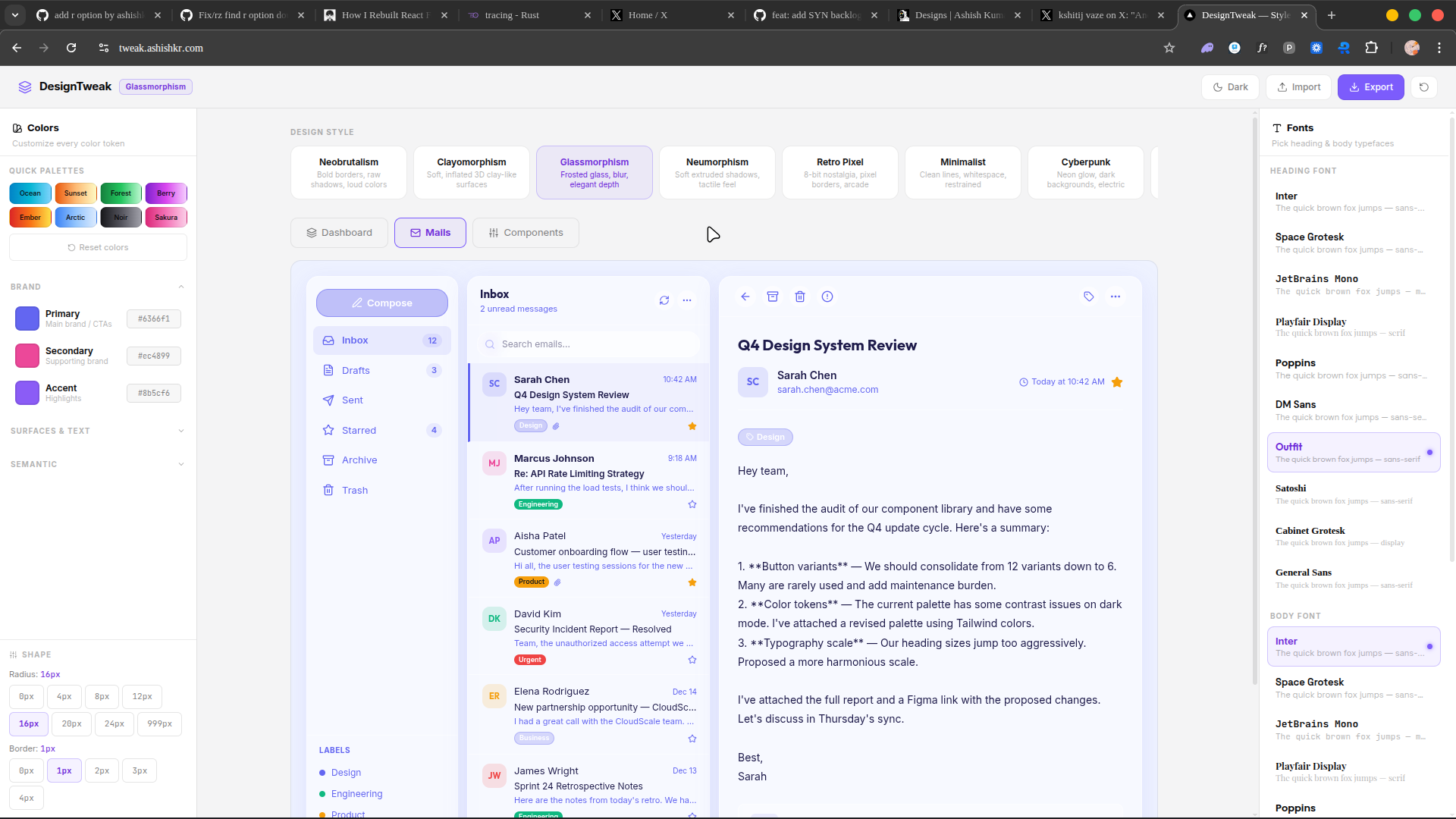
Design Tweak
In the modern frontend development ecosystem, developers often rely on component libraries and copy-paste templates to speed up their workflow. However, these templates usually come with hardcoded styles. If a developer wants to change the primary color, adjust the border radius, or switch the typography of a complex UI block, they have to manually sift through dozens of Tailwind CSS classes across multiple nested HTML elements.
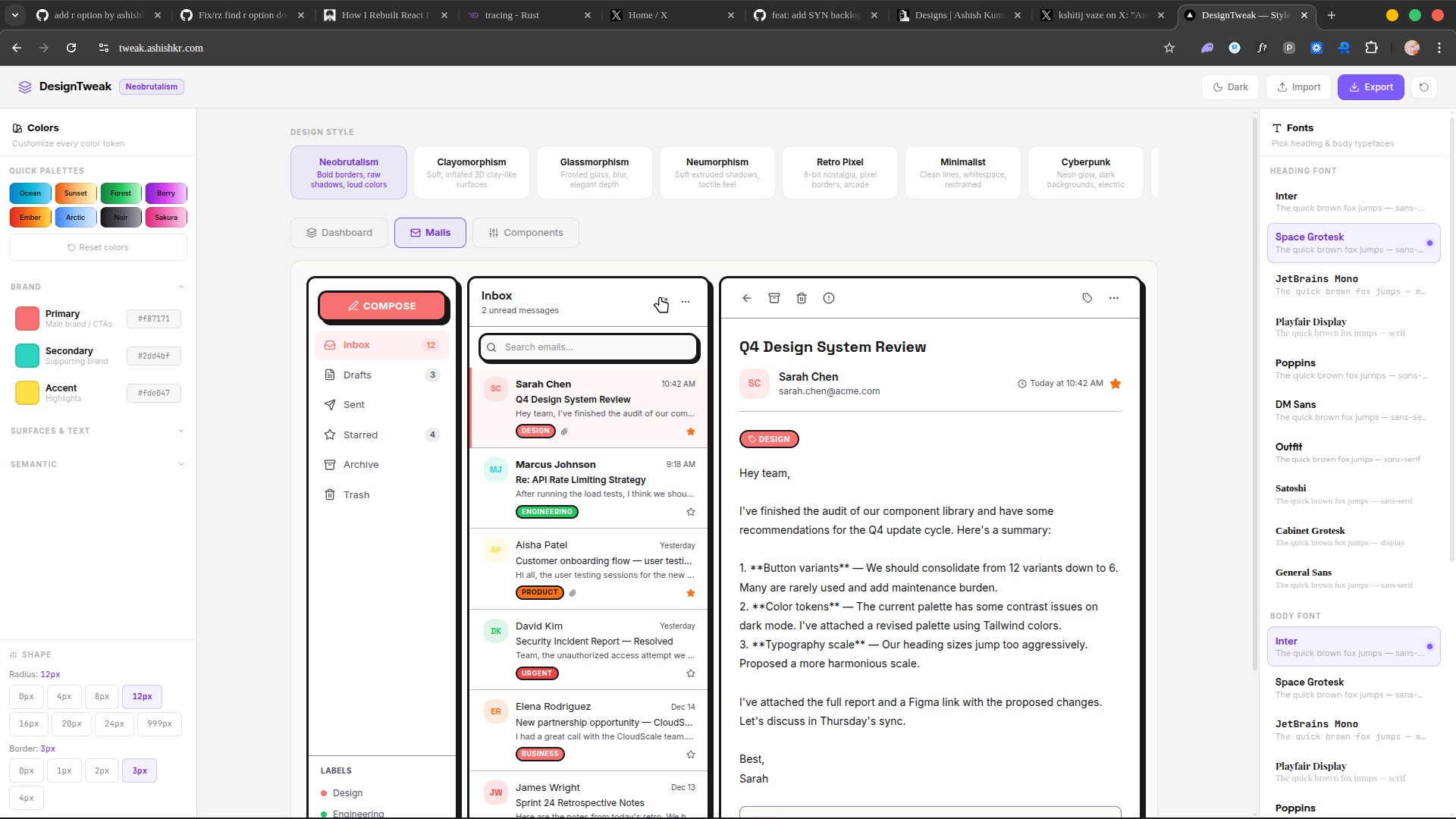
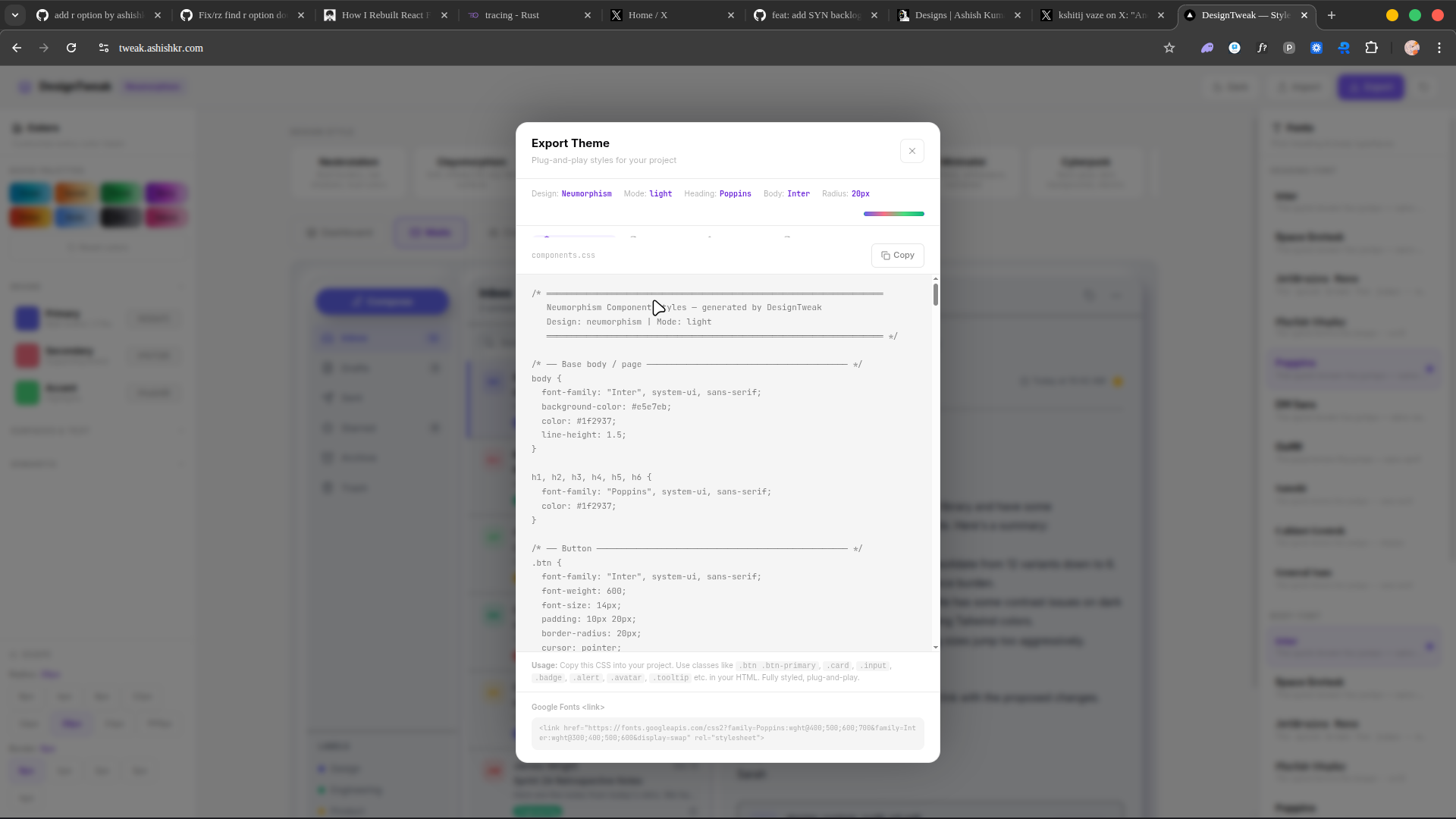
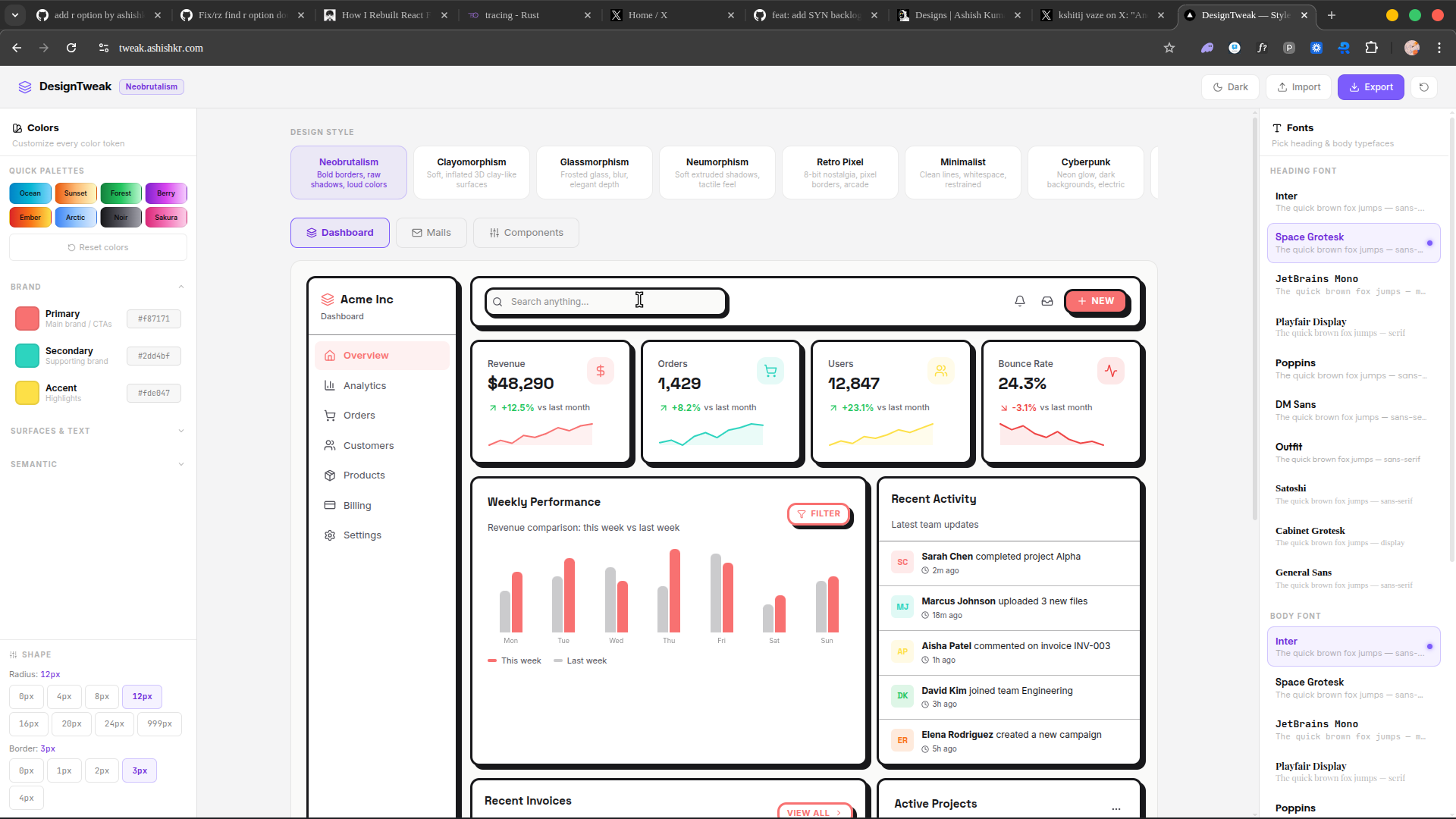
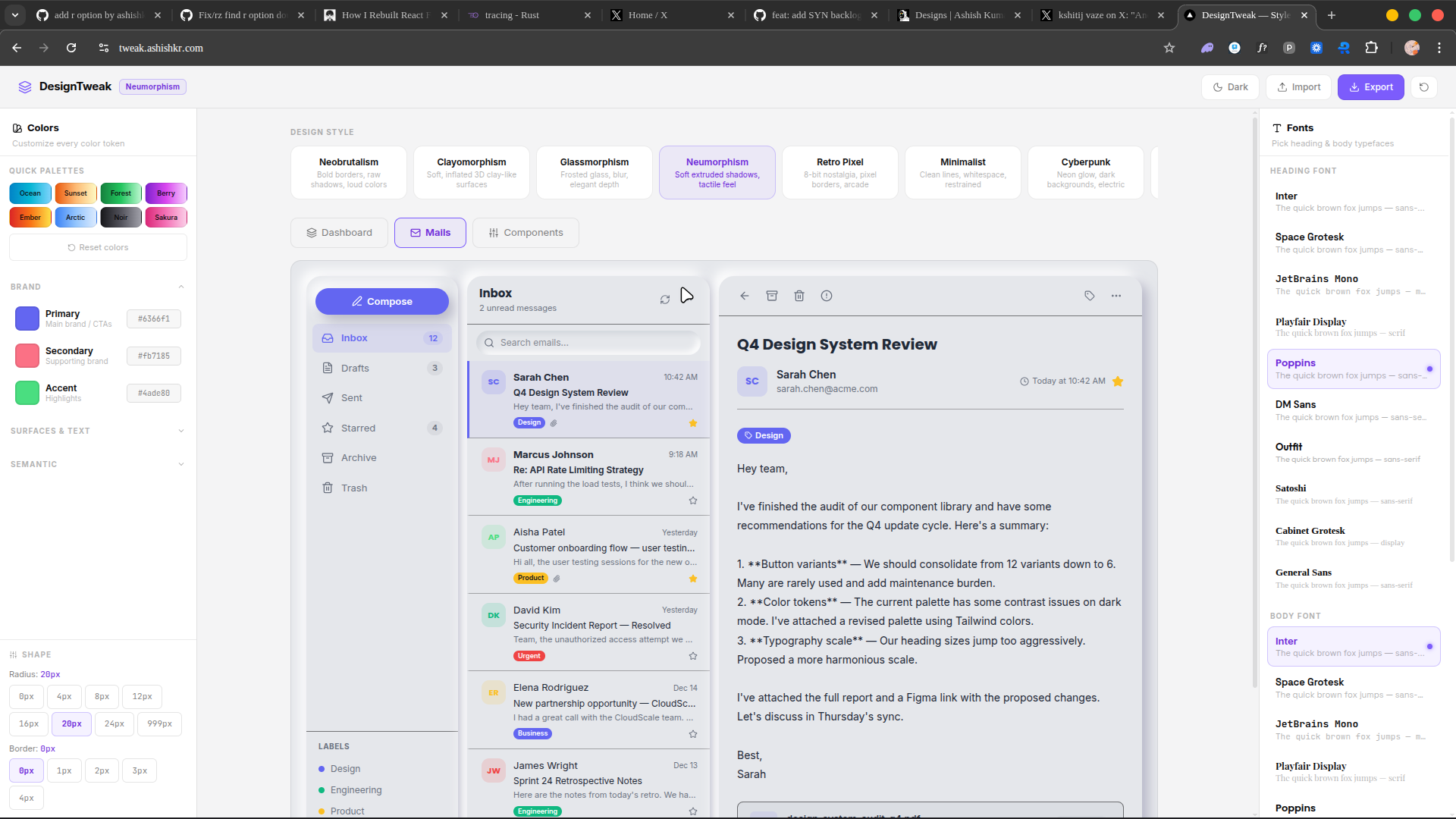
Design Tweak was built to solve this exact friction. It is a visual, browser-based tool that allows users to tweak the designs of pre-built UI components with a single click—playing with colors, fonts, and layouts—and then simply clicking "Copy" to get the production-ready code.
1. System Architecture and Tech Stack
Design Tweak is built to be lightning-fast and entirely client-side, ensuring that previews update at 60 frames per second without network latency.
The Stack
- Framework: Next.js (App Router) for routing and SEO optimization.
- UI Library: React 18, utilizing advanced hooks for complex state management.
- Styling: Tailwind CSS for the application UI and the generated output.
- State Management: Zustand for managing the global tweaking state (selected colors, fonts, border radii) across deeply nested component trees.
- Code Parsing: Custom regex and AST (Abstract Syntax Tree) utilities to safely mutate Tailwind classes in raw strings.
2. Dynamic Tailwind Manipulation
The hardest technical challenge of Design Tweak is parsing and replacing Tailwind CSS classes dynamically within raw React/JSX code strings.
When a user selects a new primary color (e.g., changing from violet to rose), the engine needs to find all instances of violet-related classes (bg-violet-500, text-violet-600, border-violet-200, hover:bg-violet-600) and intelligently map them to the corresponding shades of the new color.
The Parsing Engine
To solve this, Design Tweak employs a robust CSS class manipulation engine:
- Tokenization: The engine scans the raw JSX string and extracts the
className="..."strings. - Regex Matching: It uses strict boundary regular expressions to identify exact Tailwind utility patterns.
- Smart Shade Mapping: If a component uses
bg-blue-600for a button background andbg-blue-100for a subtle hover effect, the engine preserves that contrast ratio. If the user switches toamber, it maps tobg-amber-600andbg-amber-100respectively.
// Simplified representation of the color mapping logic
function tweakTailwindColor(
  originalClassList: string,
  targetColor: string
): string {
  // Matches standard tailwind color utilities (e.g., bg-red-500, text-blue-200)
  const colorRegex = /\b(bg|text|border|ring|fill|stroke)-([a-z]+)-(\d{2,3})\b/g;

  return originalClassList.replace(colorRegex, (match, prefix, color, shade) => {
    // Preserve black, white, and transparent
    if (color === 'white' || color === 'black' || color === 'transparent') {
      return match;
    }
    // Swap the color but maintain the prefix and shade
    return `${prefix}-${targetColor}-${shade}`;
  });
}
3. Real-Time Rendering Pipeline
When a user tweaks a design, they expect to see the result instantly.
The Sandbox Approach
Executing arbitrary, user-modified React code in the browser is tricky. To provide a live preview of the tweaked code:
- The raw string of the component is parsed.
- The custom Tailwind manipulator applies the global state variables (Font family, Border Radius, Color scheme) to the code string.
- The modified code is passed through a lightweight, in-browser compiler (using tools like Babel standalone or Sucrase) to transform the JSX into executable JavaScript.
- The compiled component is rendered inside an isolated iframe or an Error Boundary to ensure that invalid tweaks do not crash the main application.
4. The Magic "Copy" Button
Once the user is satisfied with their design, they need the code.
The "Copy" feature doesn't just copy the raw output of the parser. It runs the modified string through Prettier (running in the browser) to ensure the formatting is perfect, indentation is correct, and the code is ready to be pasted directly into a production codebase.
Additionally, using tailwind-merge, the engine cleans up any conflicting classes that might have been generated during the tweaking process, ensuring the final output is as clean as if a senior developer wrote it by hand.
import { twMerge } from "tailwind-merge";
import { format } from "prettier/standalone";
import parserBabel from "prettier/parser-babel";

export async function generateFinalCode(rawCode: string): Promise<string> {
  // 1. Apply tweaks...
  const tweakedCode = applyUserTweaks(rawCode);

  // 2. Format beautifully for the user
  const formattedCode = await format(tweakedCode, {
    parser: "babel",
    plugins: [parserBabel],
    singleQuote: true,
  });

  return formattedCode;
}
5. UI/UX Considerations
Since Design Tweak is a tool built for designers and developers, the interface itself had to be flawless.
- Contextual Controls: The sidebar only shows controls relevant to the currently selected component. If a component doesn't use border-radius, the radius slider is hidden.
- Dark/Light Mode Testing: A single toggle instantly flips the preview environment between dark and light modes, allowing the user to verify that their color tweaks maintain proper contrast in both environments.
- Responsive Previews: Built-in viewport toggles allow the user to see how their tweaked component behaves on mobile, tablet, and desktop breakpoints without resizing their actual browser window.
6. Challenges and Future Scope
The biggest hurdle during development was handling complex, arbitrary Tailwind configurations. For instance, dealing with arbitrary values like bg-[#123456] or custom plugin classes required writing fallback logic to prevent the parser from breaking.
Future iterations of Design Tweak will include:
- Figma Export: Allowing users to export the tweaked component directly as a Figma node.
- Framework Agnosticism: Currently focused on React/JSX, the parsing engine can be extended to output Vue, Svelte, or plain HTML.
- AI Integration: Adding a natural language prompt ("Make this look more playful and use purple") that automatically adjusts the internal tweaking parameters.
Conclusion
Design Tweak dramatically reduces the time between finding a component you like and making it fit your brand's specific design language. By combining safe string manipulation, in-browser compilation, and a hyper-focused user interface, it provides a seamless bridge between static code templates and fully customized UI elements.
Gallery