zon3.xyz
Workflow automation platforms like n8n and Zapier have revolutionized how we connect services and automate repetitive tasks. However, many of these platforms are either fully closed-source SaaS products or heavy, complex applications that are difficult to self-host and customize.
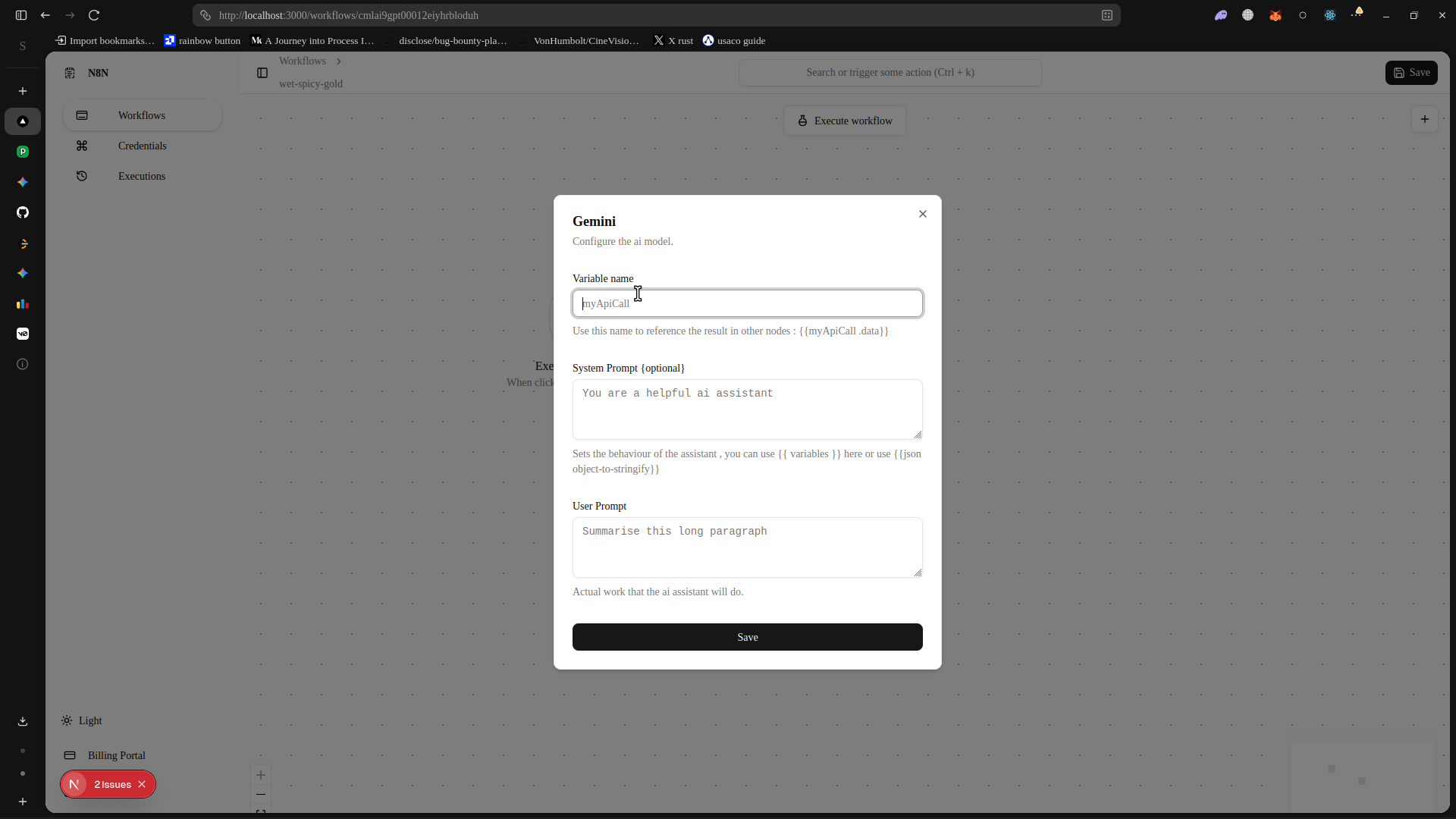
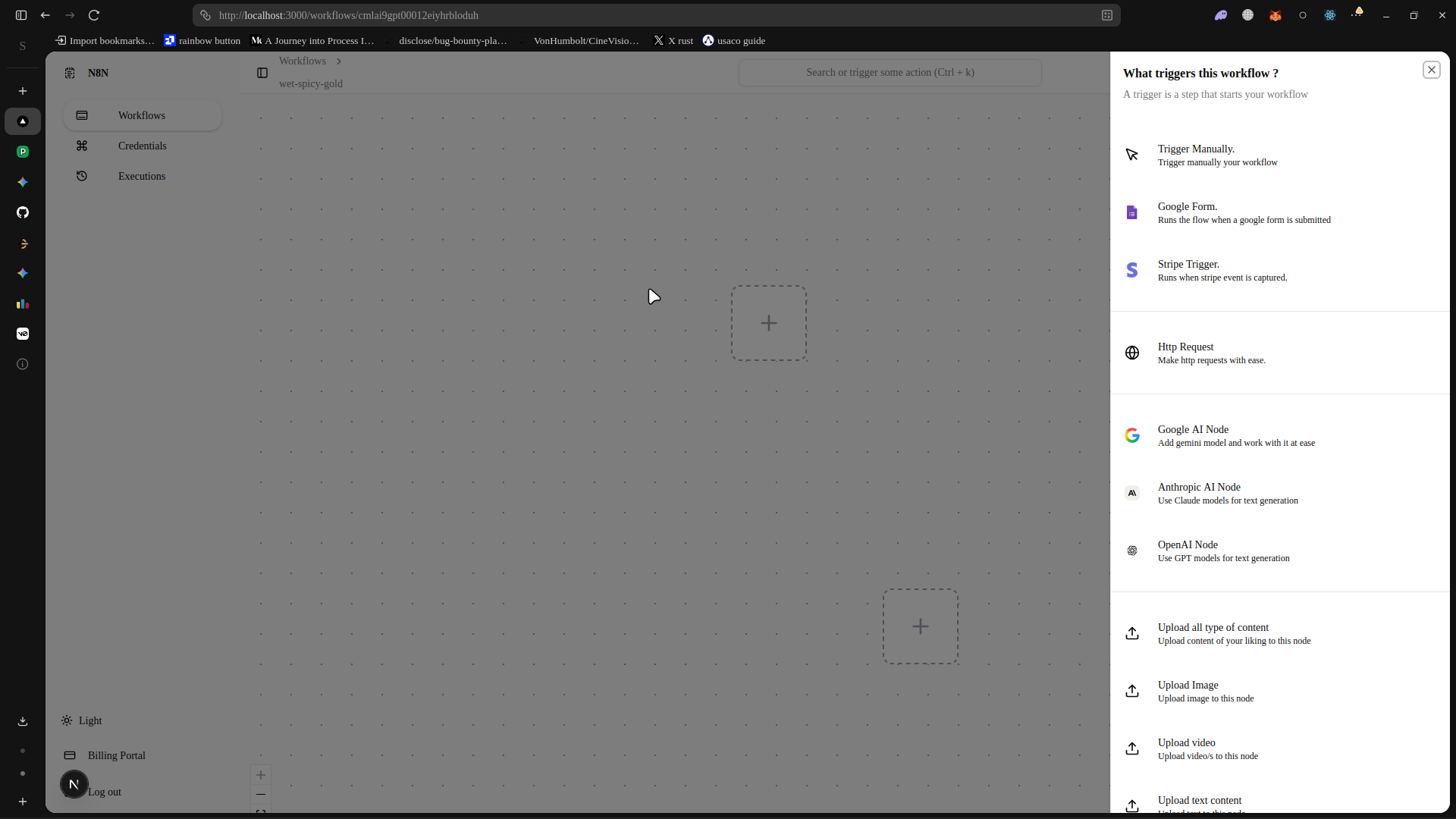
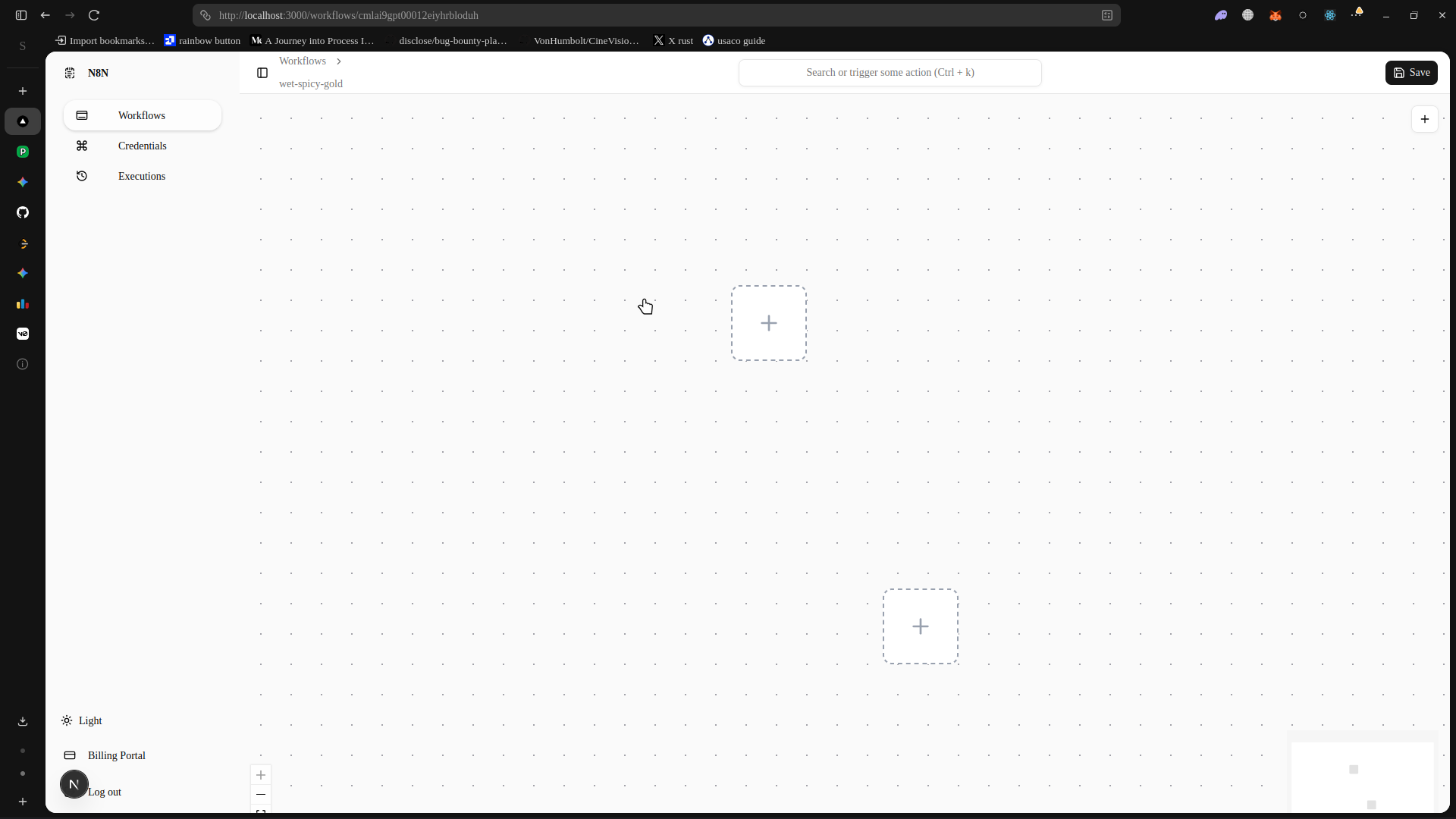
Zon3 (zon3.xyz) was built as an exploration into creating a lightweight, high-performance visual workflow automation tool natively for the web. It allows users to drag, drop, and connect nodes on a canvas to build logic pipelines, executing them reliably on a Node.js backend.
1. The Visual Canvas (Frontend)
The user interface of Zon3 is the most critical component. It needs to feel snappy, handle panning and zooming smoothly, and allow users to intuitively wire up inputs and outputs.
React Flow and Custom Nodes
Zon3 leverages React Flow as the foundational primitive for the canvas, but heavily customizes the node rendering to support dynamic inputs, configuration forms, and real-time execution statuses.
Every node on the canvas is a React component that subscribes to a global state store.
// Simplified Node Definition
export const HttpNode = ({ data, isConnectable }: NodeProps) => {
  return (
    <div className="custom-node border-2 border-slate-700 rounded-md bg-slate-900 shadow-xl">
      <Handle type="target" position={Position.Left} isConnectable={isConnectable} />
      <div className="p-4 flex flex-col gap-3">
        <div className="flex items-center gap-2">
          <GlobeIcon className="w-4 h-4 text-blue-400" />
          <h3 className="font-bold text-white text-sm">HTTP Request</h3>
        </div>
        <select
          className="bg-slate-800 text-white text-xs p-1 rounded"
          value={data.method}
          onChange={(e) => updateNodeData(data.id, { method: e.target.value })}
        >
          <option value="GET">GET</option>
          <option value="POST">POST</option>
        </select>
        <input
          className="bg-slate-800 text-white text-xs p-1 rounded w-full"
          type="text"
          placeholder="https://api.example.com"
          value={data.url}
          onChange={(e) => updateNodeData(data.id, { url: e.target.value })}
        />
      </div>
      <Handle type="source" position={Position.Right} isConnectable={isConnectable} />
    </div>
  );
};
2. The Execution Engine (Backend)
While the frontend makes it look pretty, the backend does the actual heavy lifting. When a user clicks "Run Workflow", the frontend serializes the canvas state (an array of nodes and an array of edges) and sends it to the server.
Directed Acyclic Graphs (DAGs)
A workflow is mathematically represented as a DAG. The backend engine must traverse this graph, ensuring that a node only executes when all of its incoming dependencies have successfully resolved and passed their data forward.
- Topological Sort: The engine first performs a topological sort on the graph to determine the execution order and detect any circular dependencies (which are invalid in standard workflows).
- Data Passing: The output of Node A becomes the input of Node B. The engine maintains an
ExecutionContextobject that holds the payload at each step. - Node Runners: Each node type (e.g., HTTP Request, JSON Parser, Condition Router) has a dedicated execution function on the backend.
// Backend Execution Logic Concept
async function executeWorkflow(nodes: Node[], edges: Edge[]) {
  const executionPlan = buildTopologicalSort(nodes, edges);
  const context = new ExecutionContext();

  for (const nodeId of executionPlan) {
    const node = nodes.find(n => n.id === nodeId);
    const inputs = context.getInputsForNode(nodeId, edges);

    try {
      // Execute the specific node logic
      const result = await NodeRegistry[node.type].execute(node.data, inputs);
      context.setOutput(nodeId, result);
    } catch (error) {
      context.markNodeFailed(nodeId, error);
      break; // Halt workflow on failure
    }
  }

  return context.getFinalResult();
}
3. Full-Stack Type Safety with tRPC
To bridge the gap between the Next.js frontend and the Node.js backend execution engine, Zon3 uses tRPC.
This ensures that the shape of the nodes, the configuration options available, and the execution logs returned by the server are strongly typed. If a new property is added to the Telegram Webhook node on the backend, the frontend instantly knows about it via TypeScript autocomplete, completely eliminating a whole class of API mismatch bugs.
4. PostgreSQL and Prisma
All workflows, user accounts, and execution histories are persisted in a PostgreSQL database, managed via Prisma ORM.
The schema is designed to efficiently store large JSON payloads for the canvas state, while keeping relational links intact for querying past executions.
model Workflow {
  id          String   @id @default(cuid())
  name        String
  description String?
  nodes       Json     // Stores React Flow node configurations
  edges       Json     // Stores React Flow connection data
  isActive    Boolean  @default(false)
  createdAt   DateTime @default(now())
  updatedAt   DateTime @updatedAt

  executions  Execution[]
}

model Execution {
  id          String   @id @default(cuid())
  workflowId  String
  status      String   // SUCCESS, FAILED, RUNNING
  startedAt   DateTime @default(now())
  completedAt DateTime?
  logs        Json     // Step-by-step node outputs

  workflow    Workflow @relation(fields: [workflowId], references: [id])
}
5. Security and Sandboxing
Allowing users to execute logic on your servers is inherently dangerous. A user could configure an HTTP node to scan the internal AWS VPC network, or write a custom JavaScript node that runs an infinite while(true) loop to crash the server.
To mitigate this:
- Timeout Limits: Every node execution is wrapped in a strict
Promise.race()timeout. If an HTTP request hangs, the node fails gracefully without locking up the event loop. - Network Isolation: The backend uses dedicated outgoing proxies to prevent SSRF (Server-Side Request Forgery) attacks, ensuring workflows cannot access internal microservices.
Conclusion
Building Zon3 was an incredible exercise in bridging visual interfaces with complex backend orchestration. It demonstrates how modern web primitives like React Flow, combined with the end-to-end type safety of tRPC and Next.js, can be used to build powerful, enterprise-grade logic engines that run entirely in the browser. It abstracts away the complexity of cron jobs, webhooks, and data transformation into an intuitive visual format.
Key Metrics
Gallery